













Manage every asset from purchase to disposal. Track OEE, run FMEA with RPN scoring, apply RCM methodology, and connect directly to SCADA and PLC systems — in one platform that no competitor matches on depth.


EAM vs CMMS
A CMMS manages maintenance during the operating phase of an asset's life. EAM manages the entire lifecycle — from procurement to disposal — and adds strategic capabilities like FMEA, RCM, OEE, and depreciation tracking. Cryotos delivers both.

Common Challenges

Asset data lives in spreadsheets, ERP systems, and paper records — all disconnected. No one has a complete picture of what every asset costs, its current condition, or when it needs to be replaced.

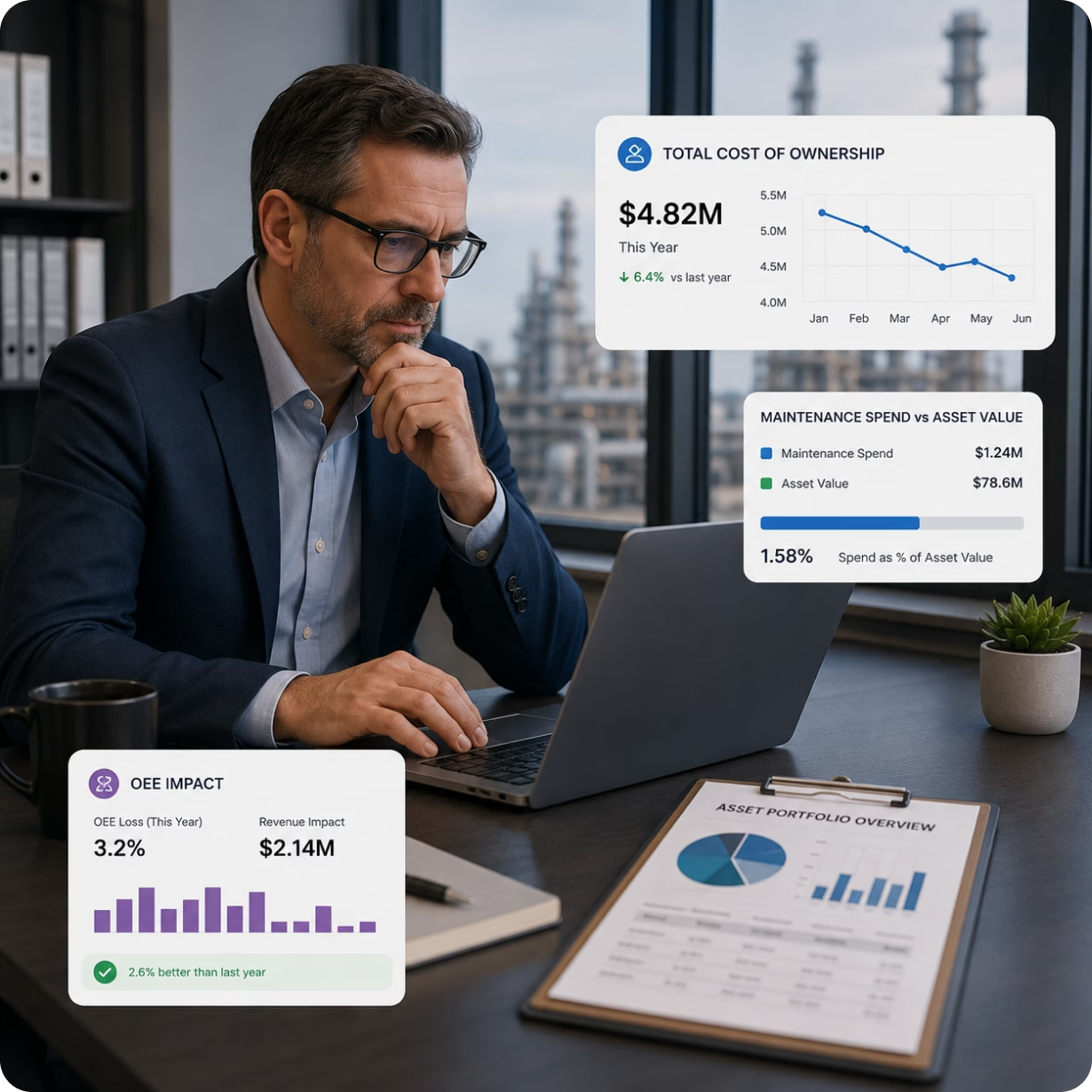
Without depreciation tracking and cumulative maintenance cost data, repair-vs-replace decisions are guesswork. Assets that should have been replaced years ago keep draining the budget on emergency repairs.

No FMEA means no prioritization. Teams respond to every failure with equal urgency — even when the asset is of low criticality. High-criticality equipment gets the same reactive response as a minor tool.

Production teams notice output drops and trace them back to equipment issues — days later. Without real-time OEE tracking linked to maintenance data, the root cause is always a post-mortem finding.
Cryotos Solves All Four - In One Platform
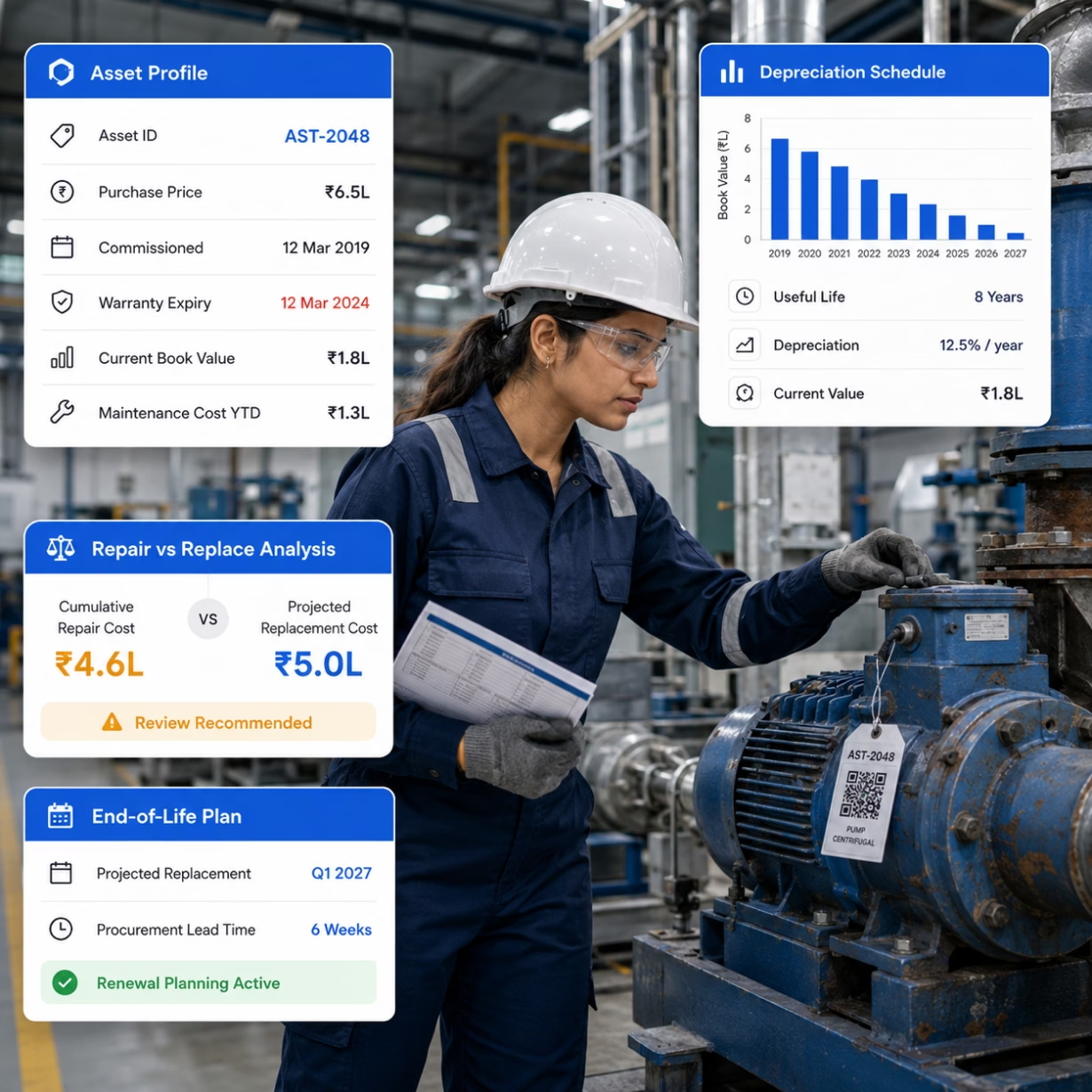
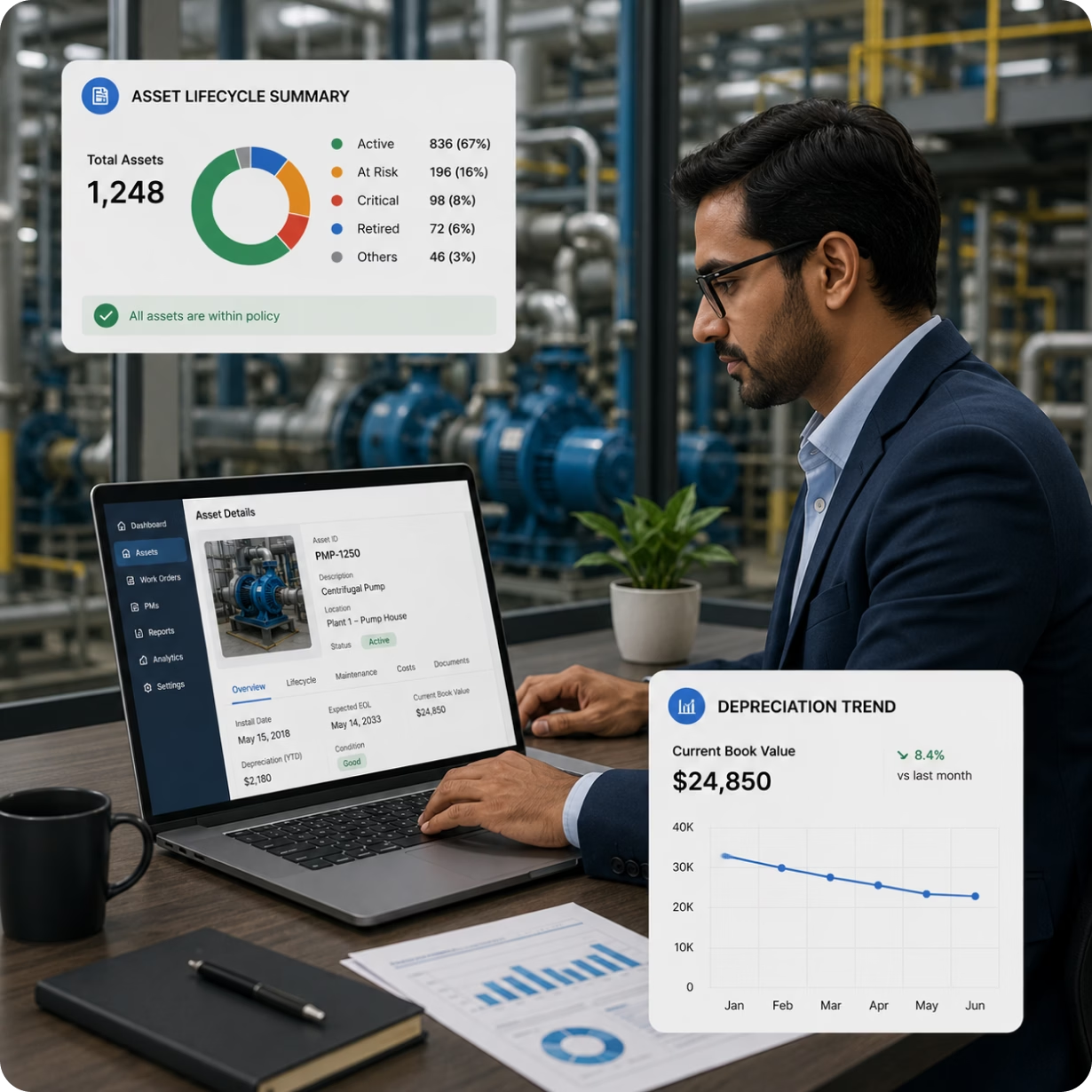
Each asset in Cryotos has a complete lifecycle record: purchase price, commissioning date, warranty expiry, depreciation schedule, maintenance cost history, current book value, and projected replacement date — all in one profile.
When cumulative repair costs approach the asset's replacement value, Cryotos flags it for review. Your team makes repair-vs-replace decisions based on real financial data, not instinct.
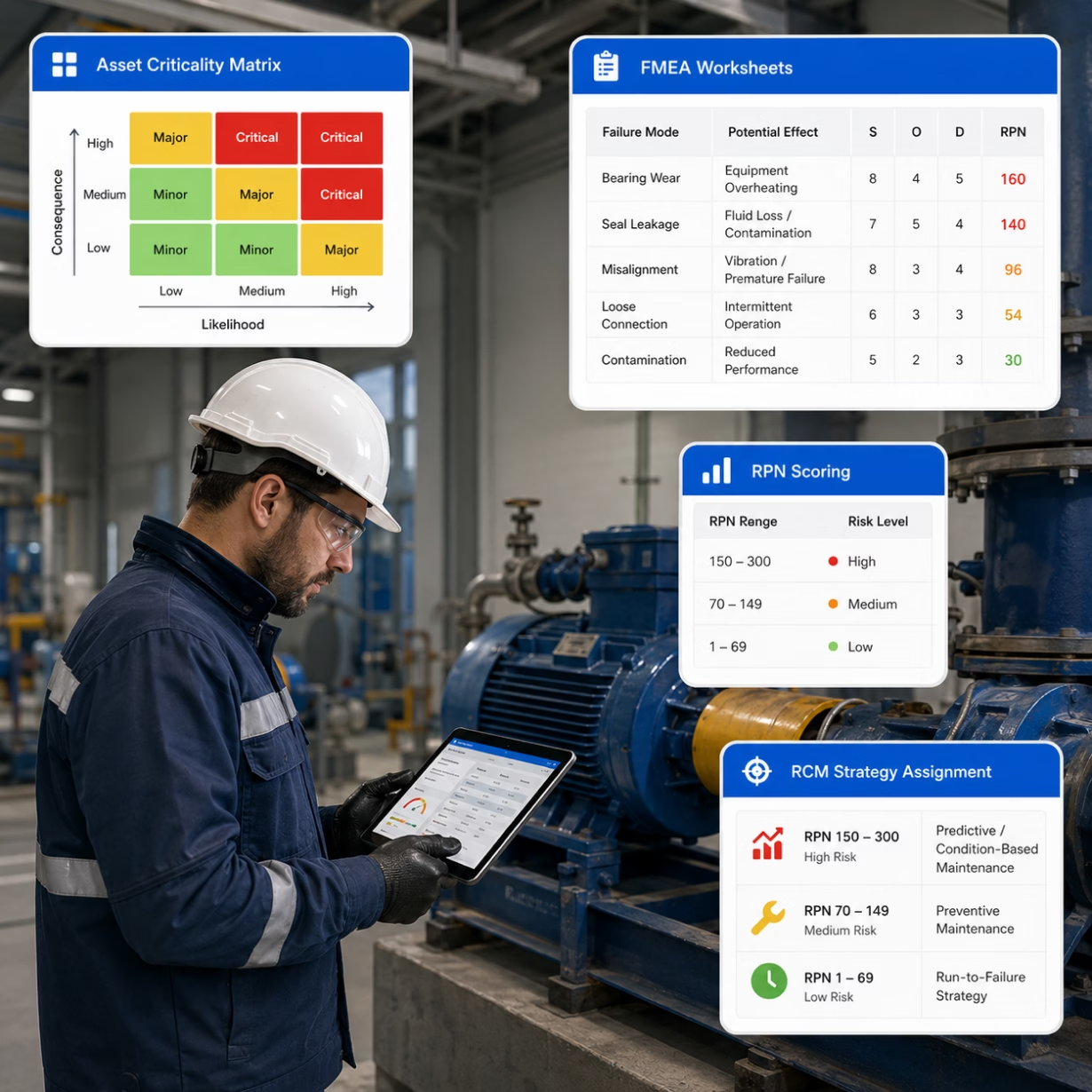
Cryotos gives you the full RCM workflow. Build a criticality matrix to classify every asset as Critical, Major, or Minor. Run FMEA on each asset class — identify failure modes, score Severity, Occurrence, and Detectability, and calculate the RPN for each.
High RPN failures get scheduled for predictive or condition-based maintenance. Low RPN items are assigned a run-to-failure strategy. Every resource goes where it has the most impact.
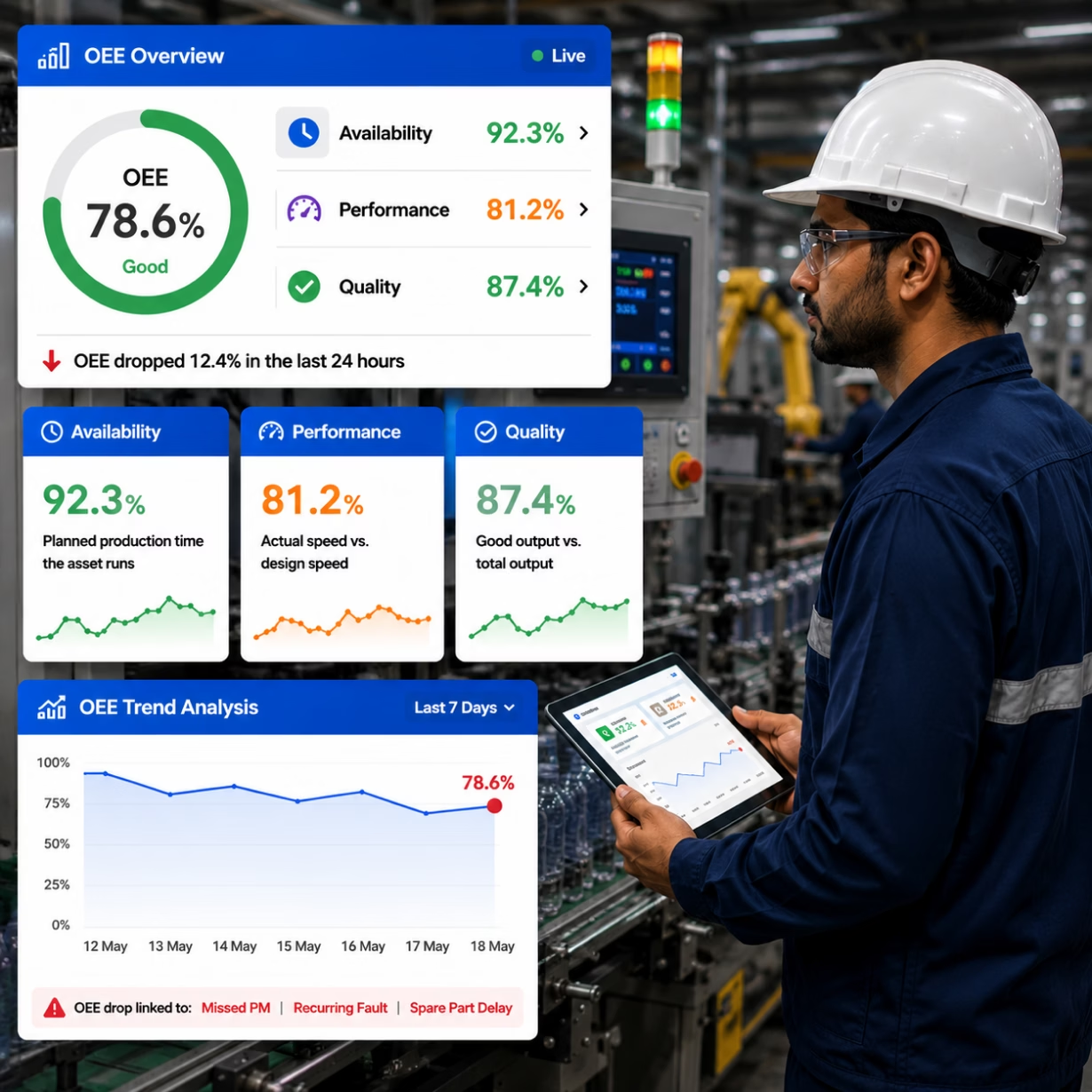
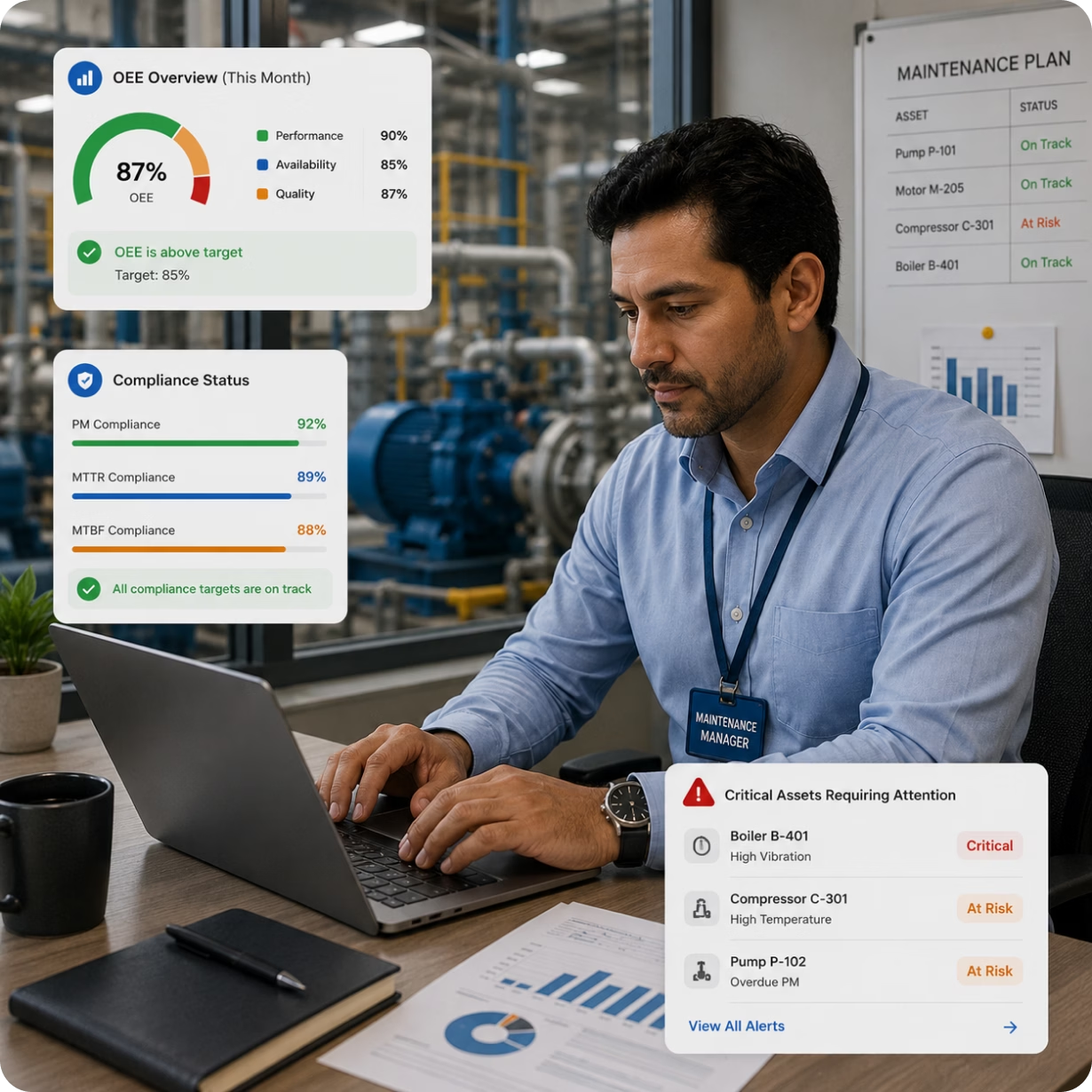
Cryotos tracks all three OEE components in real time: Availability (planned production time the asset runs), Performance (actual speed vs. design speed), and Quality (good output vs. total output).
When OEE drops, Cryotos links the decline to specific maintenance events — a missed PM, a recurring fault, a spare part delay. Root cause is surfaced before production meetings, not during them.
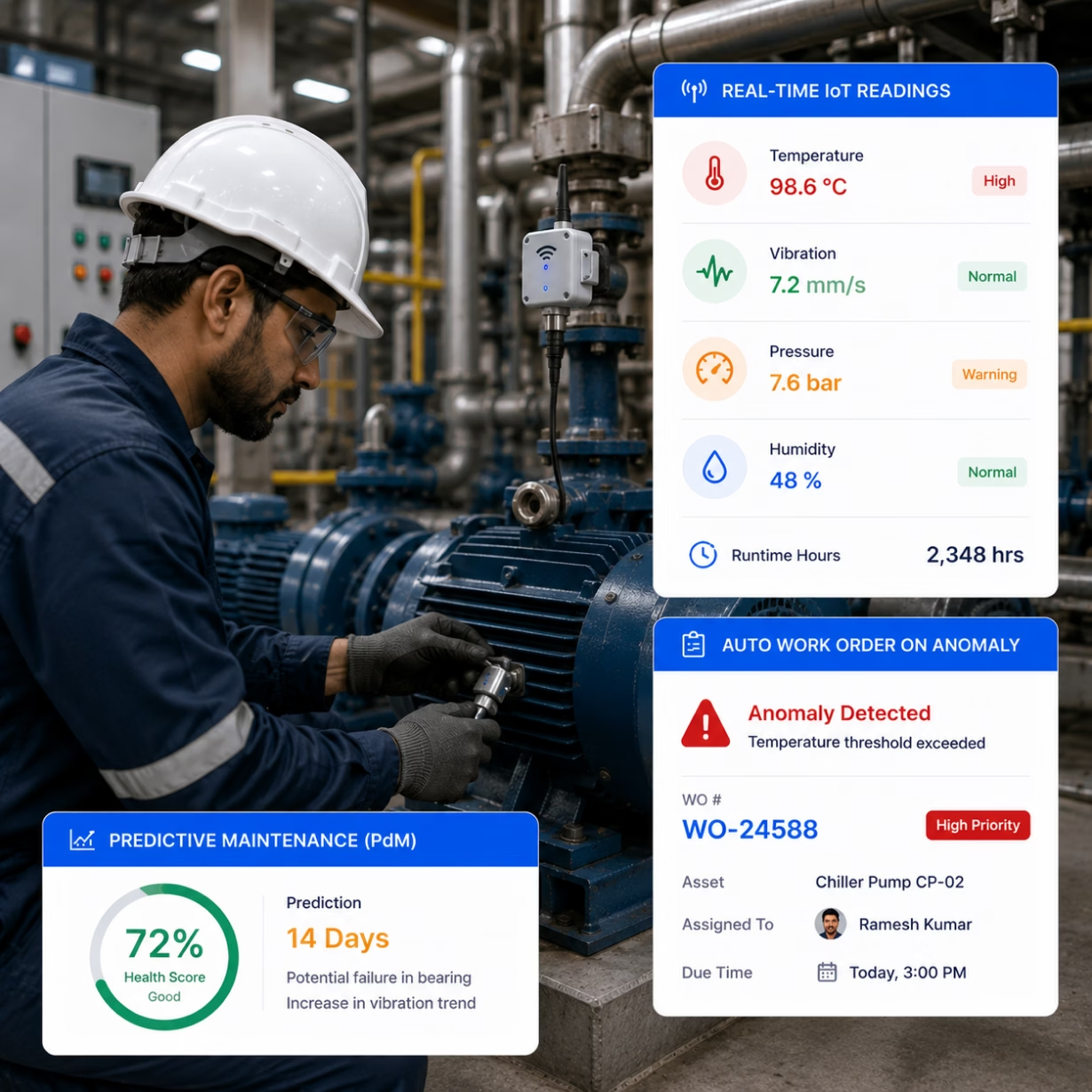
Cryotos integrates with SCADA and PLC systems on your plant floor. When a PLC signals an abnormal condition — a temperature spike, pressure deviation, abnormal vibration, or equipment fault — Cryotos automatically generates a work order, assigns it to the right technician, and logs the trigger data in the asset record.
This is real, condition-based maintenance without manual monitoring. Failures are caught at the signal level, not after the breakdown.
Mount IoT sensors on critical assets to monitor temperature, vibration, pressure, humidity, and runtime hours in real time. When any reading crosses your defined threshold, Cryotos auto-creates a work order and flags it in the maintenance queue.
This shifts your maintenance strategy from time-based schedules to condition-based triggers. Work only happens when an asset actually needs it — cutting unnecessary PM tasks and catching real problems early.
Full Feature Set

Track every asset from purchase to disposal. Log procurement cost, depreciation, warranty, maintenance history, and end-of-life date in one record.

Classify every asset as Critical, Major, or Minor. Prioritize maintenance resources and PM schedules based on business impact — not guesswork.
Build FMEA worksheets for each asset class. Score Severity, Occurrence, and Detectability. Calculate RPN and assign the right maintenance strategy to each failure mode.

Schedule PMs by date, meter reading, or IoT trigger. Auto-generate work orders on schedule. Attach checklists and SOPs to every recurring task.

Use IoT sensor data and condition trends to predict failures before they happen. Schedule corrective work during planned downtime windows — not after breakdowns.

Track Availability, Performance, and Quality rates per asset. Link OEE drops to specific maintenance events so root causes are visible — not buried in production reports.

Connect sensors to any asset. Monitor real-time values. Auto-generate work orders when readings cross defined thresholds. No manual monitoring needed.

Connect Cryotos directly to plant automation systems. PLC faults and SCADA alerts automatically create and assign maintenance work orders in real time.
Create, assign, and close work orders from any device. Track parts used, labour time, failure codes, and root cause. Full job history saved per asset.
Manage spare parts inventory with ABC classification — prioritize stock for Class A critical spares, optimize carrying costs for Class B and C items.

Track MTTR, MTBF, OEE, PM compliance, cost per asset, and maintenance backlog across your entire portfolio. Export reports for audit or board review.

Sync with SAP, Oracle, Microsoft Dynamics, PeopleSoft, or any ERP via REST API. Asset and cost data flows without manual re-entry between systems.
Maintenance Strategy Guide
Cryotos supports all five maintenance strategies. Use your FMEA and criticality data to assign the right one per asset class.
Built for Every Role
Getting Started
Import your existing asset registry, configure criticality classes, and start tracking your first work orders on day one — no long setup required.

Video training modules for every feature, live online sessions, and module-by-module guides. Your full team learns at their own pace with support available 24/7.

Connect to SAP, Oracle, Dynamics, PeopleSoft, SCADA, or any system via REST API. Dedicated integration support for enterprise deployments.

Our support team is available around the clock via chat, email, and phone. From FMEA setup to IoT configuration — we're with you at every step.


Explore how Planys have encountered, 96% availability and reliability rate for assets, 25% reduction in critical breakdowns, and Enhanced operational efficiency after implementig Cryotos CMMS Software!
Alzain Farms LLC faced challenges with inefficient maintenance tracking, frequent equipment breakdowns, and manual processes. Explore how the firm overcome these issues and digitized their maintenance operations for real-time tracking and proactive scheduling.


I recently purchased Cryotos CMMS Software for asset management needs at my organization and after a few months of testing and monitoring, I'm incredibly pleased with the results. The software is user friendly, accessible and the design is very intuitive. It covers all the aspects of managing maintenance and repair, starting from preventive maintenance and standardizing operation cycles, to scheduling and streamlining workflows. I am highly satisfied with the performance and the range of features offered by Cryotos. Highly recommendable!
Read Review in G2Since we've started using Cryotos, our team has been able to stay on top of all the various SOPs. Checklists and safety procedures are now easily accessible to everyone, and we can quickly reference them whenever we need to. The software has definitely helped to improve our team's communication and efficiency. Plus, the fact that it's cloud-based means we can access it from anywhere, which is a big plus. It has been a great help in keeping everyone on the same page and up to date with the latest procedures.

I am using this application right now for my service team, very good, user friendly, have lot of customisation in workflow and service reports. the team supported for initial implementation, They have good support team. Myself fully recommended this application.
Read Complete Review in G2