









Stop fixing the same equipment twice. Cryotos PM Software goes beyond simple calendar reminders — with AND/OR multi-condition triggers, IoT auto-generated PM work orders, WhatsApp due alerts, and 5 Whys/CAPA from failed inspections that other platforms don't offer.


PM TRIGGER TYPES
A single trigger type leaves gaps. Cryotos supports all five — including AND/OR combinations that no competitor offers.
PM fires on a fixed calendar schedule: daily, weekly, monthly, quarterly, or annually. Best for compliance-driven inspections.

PM fires at operating hours, cycles, mileage, or units produced. Matches service intervals to actual machine usage.

PM fires when an IoT sensor or equipment parameter crosses a threshold: vibration, temperature, pressure, or oil quality.

PM fires after a specific event: after a corrective WO is closed, after equipment installation, or after an inspection finding.

PM fires when multiple conditions are met simultaneously (AND) or when any one is reached first (OR). No competitor offers this.
Cryotos Solves All Five - In One Platform
Single-trigger PM has two failure modes: calendar-based over-maintenance (doing PM on a healthy machine just because the date arrived) and calendar-based under-maintenance (missing a developing condition because the schedule hasn't triggered yet).
Cryotos AND/OR logic solves both. Set a PM to fire when any threshold is reached — OR when all conditions are simultaneously true. The equipment maintenance schedule finally reflects actual equipment state.


Connect Cryotos to IoT sensors on your equipment. When a vibration reading exceeds your defined threshold, a temperature trend starts rising, or an oil quality parameter degrades — Cryotos automatically generates a PM work order and assigns it to the maintenance queue.
For plants with SCADA or DCS systems, SCADA parameter alarms also trigger PM work orders in real time. This is condition-based preventive maintenance at equipment speed — catching developing issues before they become failures.
Email PM reminders get buried. Cryotos sends PM due alerts and overdue escalations via WhatsApp — the channel maintenance teams actually use throughout the day. The assigned technician gets a WhatsApp notification with the asset name, PM description, and a direct link to the work order. Supervisors receive escalations for overdue PMs automatically.
Field technicians can also create and update PM schedules by speaking with Cryotos Voice AI — describing the asset, maintenance task, and frequency in plain language. The PM schedule is configured in 30 seconds without navigating menus.


A PM inspection that finds a fault is only useful if the root cause is documented and a corrective action is assigned. When a PM checklist item fails in Cryotos, a corrective work order is automatically created. The technician must complete a 5 Whys root cause analysis before closing the corrective job.
CAPA (Corrective and Preventive Action) is assigned to a named owner, given a due date, and tracked to verified closure. This chain — PM inspection → fault found → 5 Whys → CAPA → verified closure — breaks the cycle of recurring failures caused by undocumented root causes.
A PM program without measurement is a guess. Cryotos tracks the KPIs that show whether preventive maintenance is delivering results: PM Compliance Rate, Planned Maintenance Percentage (PMP), MTBF trend by asset class, and reactive vs. planned maintenance ratio over time.
When PMP drops below target or an asset class shows increasing MTBF decline, the dashboard surfaces it immediately — so the maintenance manager can investigate the root cause and adjust the PM schedule before the next failure cycle begins.

FULL PM FEATURE SET

Set PMs that fire when any single threshold is reached (OR) or when all conditions are simultaneously true (AND). No competitor offers this.

Schedule PMs daily, weekly, monthly, quarterly, or annually. Drag-and-drop calendar rescheduling. Pre-built templates for common equipment types.

Trigger PMs at operating hours, cycle counts, mileage, or units produced. Meter readings updated manually or from OEM telematics automatically.

Connect IoT sensors and SCADA systems. When a reading crosses a threshold, Cryotos auto-generates a PM work order without manual monitoring.

Every failed PM inspection auto-creates a corrective WO with mandatory 5 Whys root cause analysis and CAPA tracking to closure.

PM reminders and overdue escalations sent via WhatsApp — not email. Technicians get direct links to their PM work orders in real time.
Create step-by-step digital checklists for every PM task. Attach photos, readings, and sign-offs at each step. No critical step is skipped.

Create parent PMs with nested sub-tasks that each require separate sign-off. Cover multiple assets in a single coordinated PM work order.

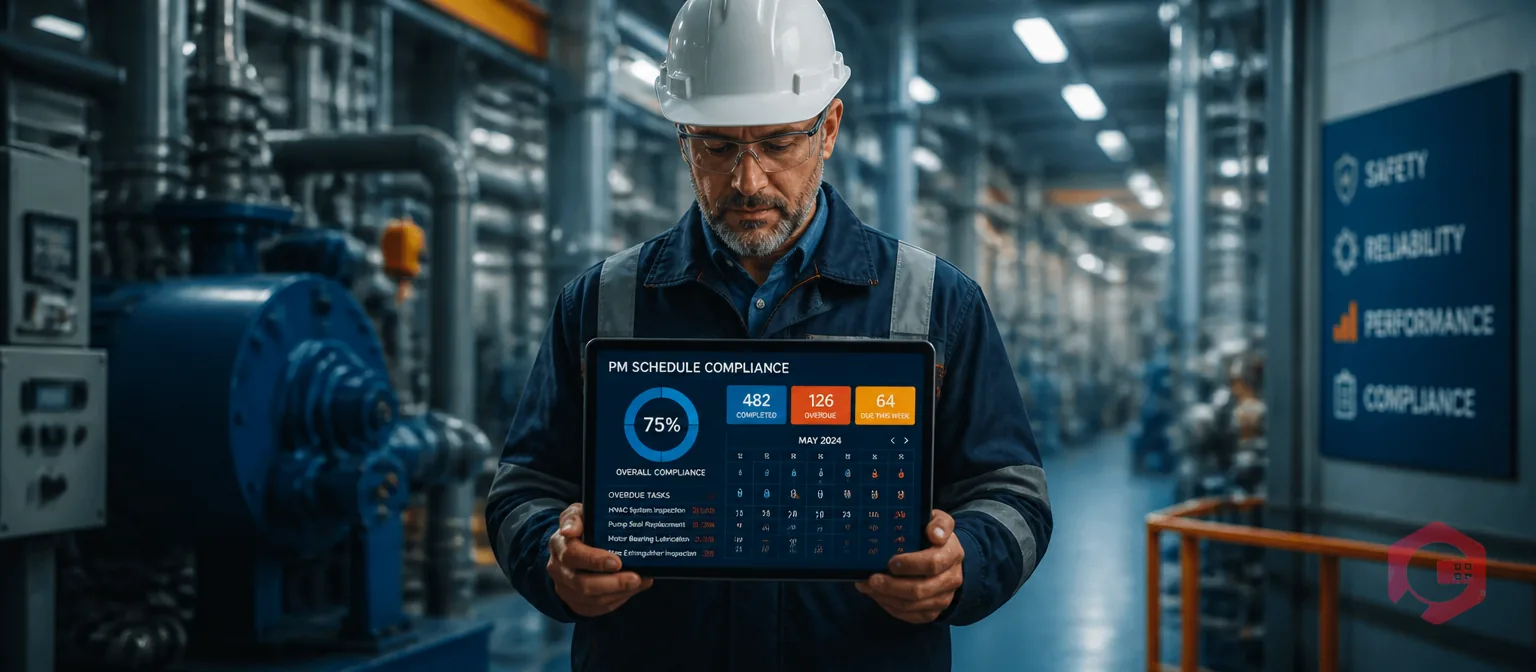
Track PM completion rate, overdue backlog, and PMP (Planned Maintenance Percentage) in real time. Set targets and monitor progress weekly.

Monitor MTBF trends by asset class. Track reactive vs. planned maintenance ratio over time. See whether your PM program is improving outcomes.

Technicians complete PM checklists, capture photos, and log parts on mobile — with or without internet. Data syncs automatically on reconnect.

When PM work orders consume parts, Cryotos automatically updates SAP inventory and generates reorder POs when stock falls below minimum.
PM KPIs
Cryotos tracks all five in real time and trends them over time so you can see improvement — or catch deterioration before it becomes a breakdown problem.

Planned Maintenance Percentage — ratio of planned to total maintenance work orders

Percentage of PMs completed on schedule vs. overdue or missed

Mean Time Between Failures — average operating time between breakdowns

Mean Time To Repair — average time to restore equipment after failure

Percentage of total work orders that are unplanned breakdowns
Preventive Maintenance (PM) software is a specialized tool designed to help organizations plan, schedule, and manage routine maintenance tasks for their equipment and facilities. The primary goal of PM software is to prevent equipment failures and extend the life of assets by ensuring that maintenance activities are performed regularly and proactively, according to a predetermined schedule. By utilizing PM software, you can transform your maintenance strategy from reactive (fixing things when they break) to proactive (preventing breakdowns before they happen).
Here's a breakdown on how to create a preventive maintenance plan (PM plan) to keep your equipment running smoothly:
Gather Information
1. Inventory Your Assets: Create a detailed list of all equipment you need to maintain. This list should include information like make, model, serial number, and purchase date.
2. Consult Manufacturer Manuals: Refer to the manufacturer's recommendations for each piece of equipment. These manuals typically outline suggested maintenance tasks, frequencies, and procedures.
3. Identify Critical Equipment: Prioritize your equipment based on its importance to your operations. Critical equipment that keeps your production line running should receive more frequent and comprehensive maintenance.
Develop Your PM Strategy
1. Define Maintenance Tasks: Based on the gathered information, identify the specific maintenance tasks required for each piece of equipment.
2. Schedule Maintenance Frequency: Determine how often each task needs to be performed. This will depend on factors like manufacturer recommendations, equipment usage, and criticality.
3. Static vs. Dynamic Scheduling: Choose between static PM schedules (fixed intervals) or dynamic PM schedules that trigger maintenance based on usage (e.g., hours of operation, mileage).
Document Your Plan
1. Create a PM Schedule: Develop a clear and concise schedule outlining the maintenance tasks, frequencies, and assigned personnel for each piece of equipment.
2. Develop Checklists: Create detailed checklists for each PM task, ensuring all necessary steps are followed during maintenance procedures.
3. Consider Software Tools: Preventive maintenance software can automate scheduling, generate work orders, and streamline the PM process.
Implement & Monitor
1. Train Your Team: Ensure your maintenance personnel understand the PM plan, checklists, and their roles and responsibilities.
2. Track Progress: Monitor the execution of your PM plan and record any observations or issues during maintenance activities.
3. Continual Improvement: Review your PM plan regularly and adjust it based on equipment performance, new technologies, or changes in operational needs.
Preventive Maintenance (PM) software is widely used by professionals and organizations responsible for maintaining equipment and facilities. Anyone who manages equipment and assets crucial to their operations can significantly improve efficiency and reliability with the help of PM software. Here are some real-world examples:
Facility managers oversee various equipment within buildings, such as HVAC systems, elevators, and plumbing. PM software helps them schedule routine maintenance tasks, track equipment performance data, and proactively identify potential issues before they disrupt building operations.
Manufacturing and production companies heavily rely on functional machinery for their production lines. PM software ensures this equipment remains operational by enabling it to schedule preventive maintenance and minimize downtime and production delays. They can even leverage features like dynamic PM based on usage (e.g., machine hours) to optimize maintenance schedules.
Transportation and fleet management companies are responsible for maintaining fleets of vehicles, whether cars, trucks, buses, or airplanes. PM software helps them track maintenance schedules for each vehicle, ensuring timely oil changes, tire rotations, and other preventative measures. They can also set reminders and automate work orders to streamline maintenance workflows for their fleet.
These are just a few examples, and the list goes on. From construction companies managing heavy machinery to educational institutions ensuring a safe learning environment, preventive maintenance software empowers organizations of all sizes to optimize equipment lifespans, minimize downtime, and save money by preventing costly equipment failures.
Absolutely! With Cryotos Preventive Maintenance Software, you can easily create recurring preventive maintenance schedules for all your assets. Cryotos is designed to streamline and automate your maintenance operations, ensuring that your equipment and facilities receive timely and consistent care.
By setting up recurring schedules, you can specify the frequency of maintenance tasks based on time intervals (daily, weekly, monthly, quarterly, or annually) or usage metrics (such as operating hours or cycles). Cryotos allows you to customize these schedules to align with manufacturer recommendations and your operational requirements.
By leveraging the recurring PM scheduling capabilities of Cryotos PM software, you can establish a proactive and organized approach to equipment maintenance, maximizing uptime and minimizing downtime in your operations.
Yes, Cryotos Preventive Maintenance Software offers automated reminders for upcoming maintenance tasks. This feature ensures that maintenance activities are performed on time, reducing the risk of equipment failures and extending the life of your assets.
Identify Usage Data: Determine the relevant usage data point for your equipment. For example, it might be hours of operation for a machine or mileage for a vehicle.
Manufacturer Recommendations: Refer to manufacturer recommendations to understand the typical lifespan of critical components based on usage data.
Define Triggers & Thresholds: Within Cryotos PM software, define triggers for maintenance tasks based on the chosen usage data point. Set thresholds (e.g., every 500 hours of operation) that, when reached, will automatically generate a work order for the corresponding PM task.
Customization: Cryotos allows you to combine dynamic PM with static PM schedules. You can set up a scenario where an oil change is triggered every 3 months or after reaching a specific mileage threshold, whichever comes first.
Yes! Cryotos understands that not all maintenance tasks are created equal. Some require immediate attention to prevent critical breakdowns, while others are important for long-term equipment health. Cryotos equips you with the tools to prioritize tasks based on urgency and importance, ensuring your maintenance team focuses on the most critical issues first.
Cryotos Preventive Maintenance Software provides a robust and secure platform for storing and managing maintenance data. Here's how Cryotos effectively manages your equipment information and maintenance history:
Secure Cloud Storage
Cryotos leverages secure cloud-based storage to house your maintenance data infrastructure. This eliminates the need for physical paperwork, minimizes the risk of data loss from accidental damage or hardware failures, and ensures accessibility from any authorized device with an internet connection.
Centralized Data Repository
Cryotos functions as a central hub for all your maintenance information. This includes:
Equipment details: Create detailed profiles for each piece of equipment, including make, model, serial number, purchase date, and other relevant specifications.
Maintenance tasks: Store information about all past and upcoming maintenance tasks, descriptions, procedures, and required resources.
Maintenance history: Keep records of all maintenance activities performed on each piece of equipment, including dates, technicians involved, and any notes or observations.
Work orders: Generate and manage electronic work orders for preventive and corrective maintenance tasks. Track their status, assign them to technicians, and record completion details.


I recently purchased Cryotos CMMS Software for asset management needs at my organization and after a few months of testing and monitoring, I'm incredibly pleased with the results. The software is user friendly, accessible and the design is very intuitive. It covers all the aspects of managing maintenance and repair, starting from preventive maintenance and standardizing operation cycles, to scheduling and streamlining workflows. I am highly satisfied with the performance and the range of features offered by Cryotos. Highly recommendable!
Read Review in G2Since we've started using Cryotos, our team has been able to stay on top of all the various SOPs. Checklists and safety procedures are now easily accessible to everyone, and we can quickly reference them whenever we need to. The software has definitely helped to improve our team's communication and efficiency. Plus, the fact that it's cloud-based means we can access it from anywhere, which is a big plus. It has been a great help in keeping everyone on the same page and up to date with the latest procedures.
I am using this application right now for my service team, very good, user friendly, have lot of customisation in workflow and service reports. the team supported for initial implementation, They have good support team. Myself fully recommended this application.
Read Complete Review in G2